Free store check
See what’s costing your store sales, on your own pages.
Send your Shopify store’s address. We check it on a phone and a desktop, as a shopper would, and send back what to change, each with a before and after.
Free. No login, no call needed. See examples ↓
From a real check
What you get back.
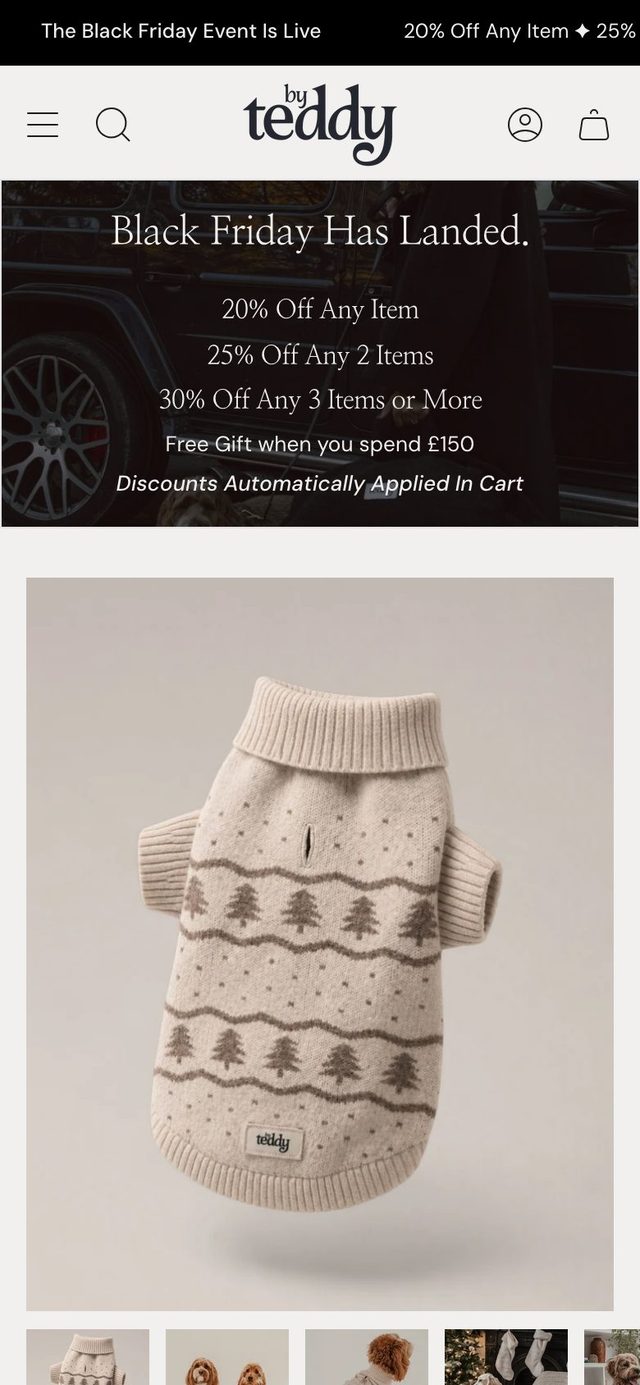
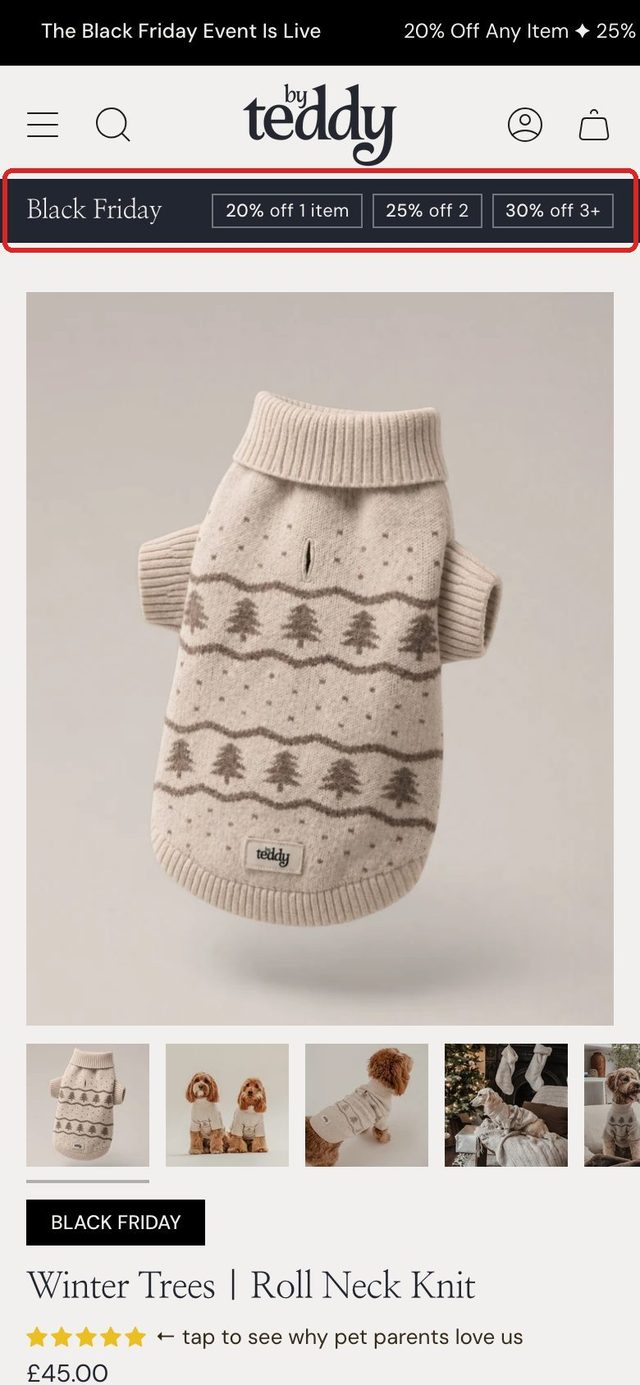
Let the product, not the banner, fill the first phone screen
Now: On a phone the sale banner pushes the name, price and Add to basket below the first screen.
Suggested: A one-line offer strip in the store’s own look, so the product and its price show at once.
See By Teddy’s full report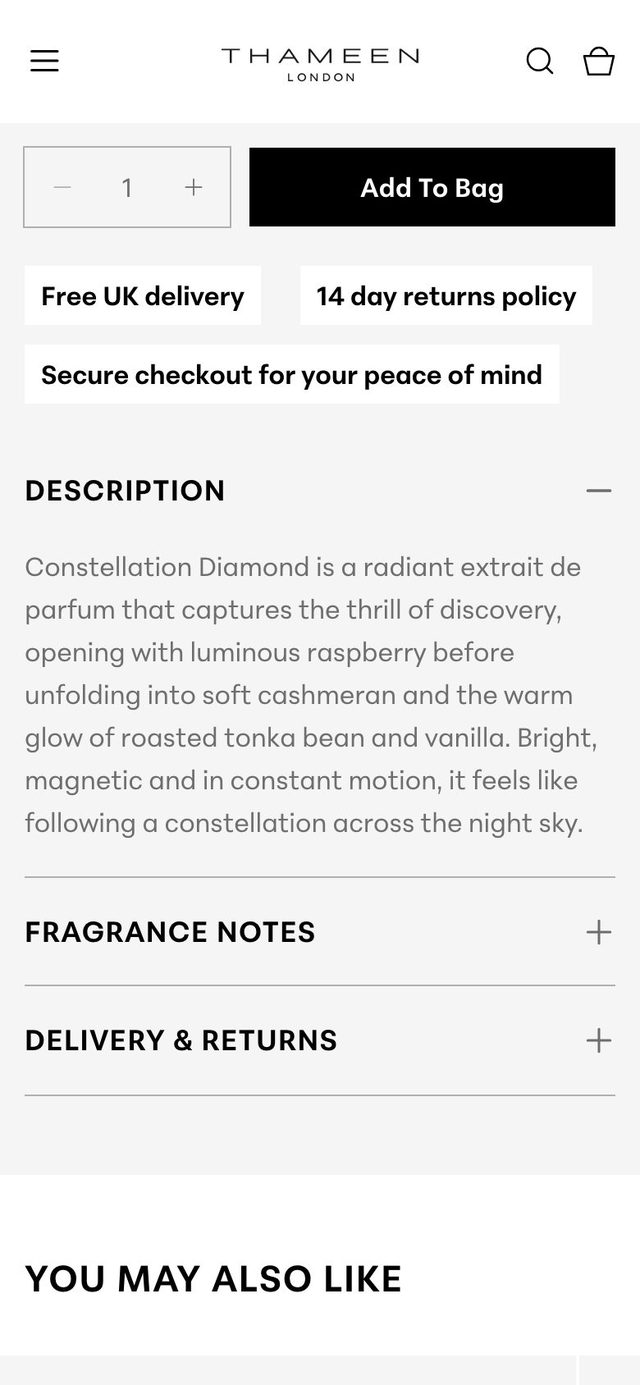
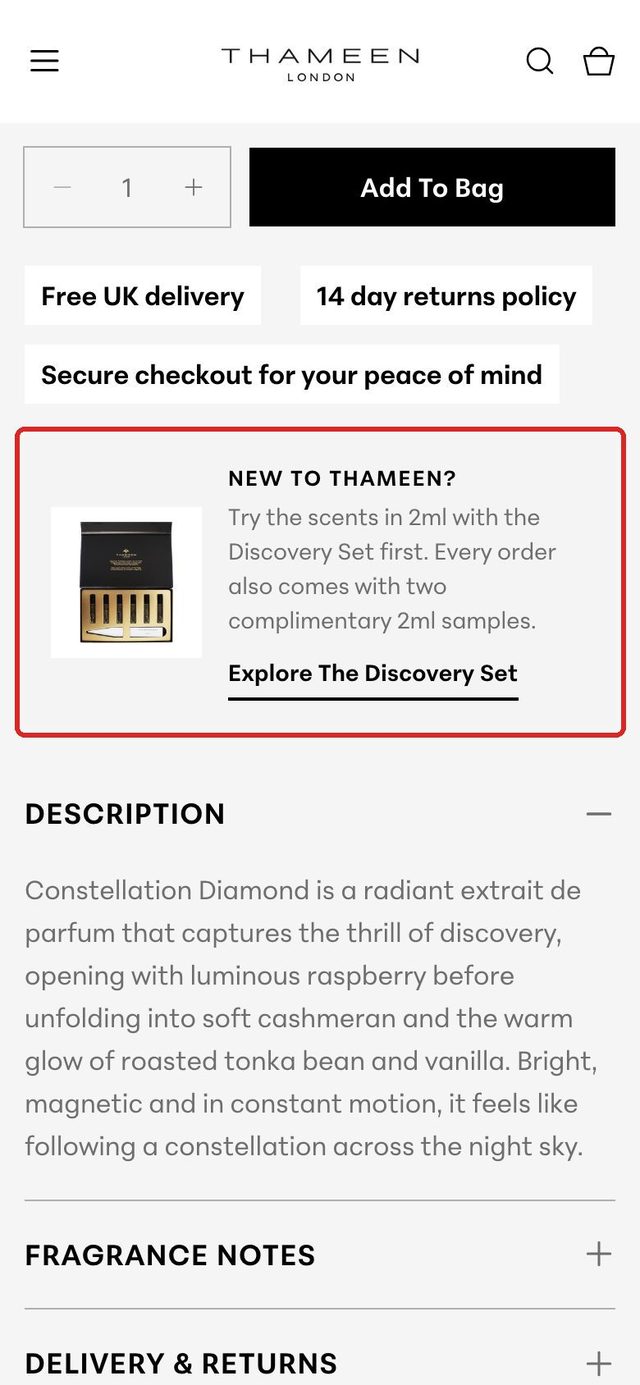
Point first-time buyers to the Discovery Set
Now: The Discovery Set sits in the menu, and the two free 2ml samples in the top bar, but the product page mentions neither.
Suggested: A small panel by Add to bag, so a shopper not ready for a full bottle can try the scents first.
A store we built: see the case study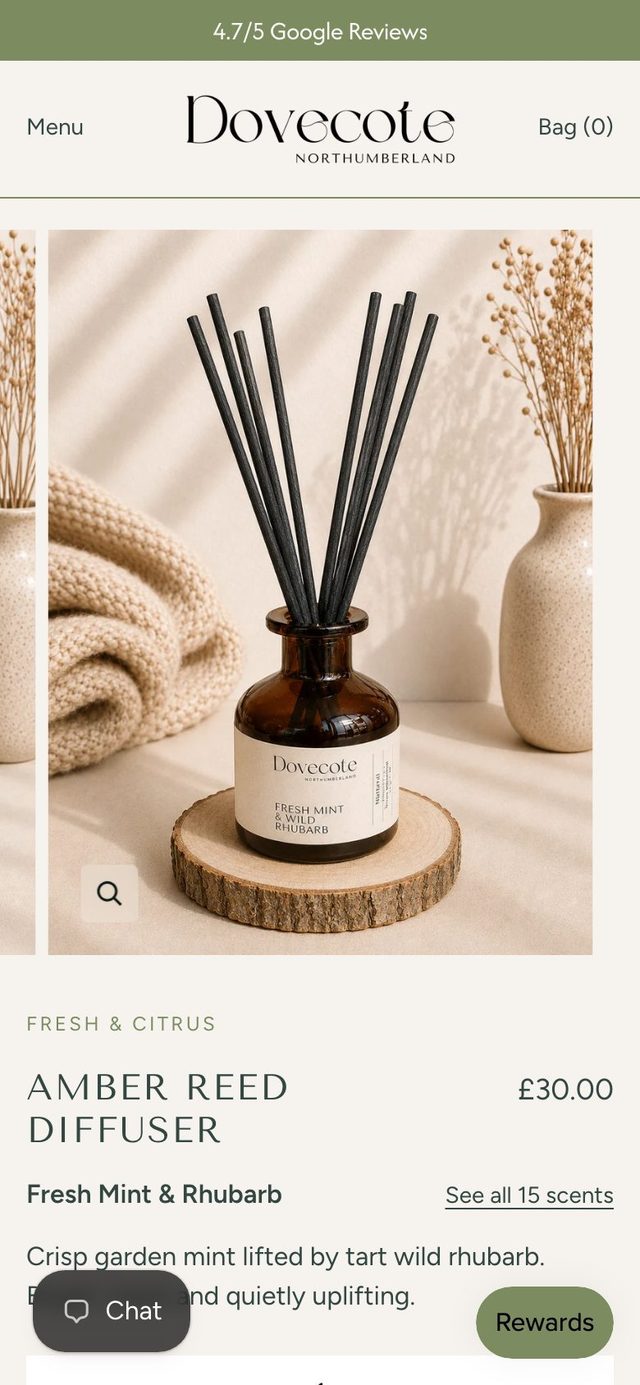
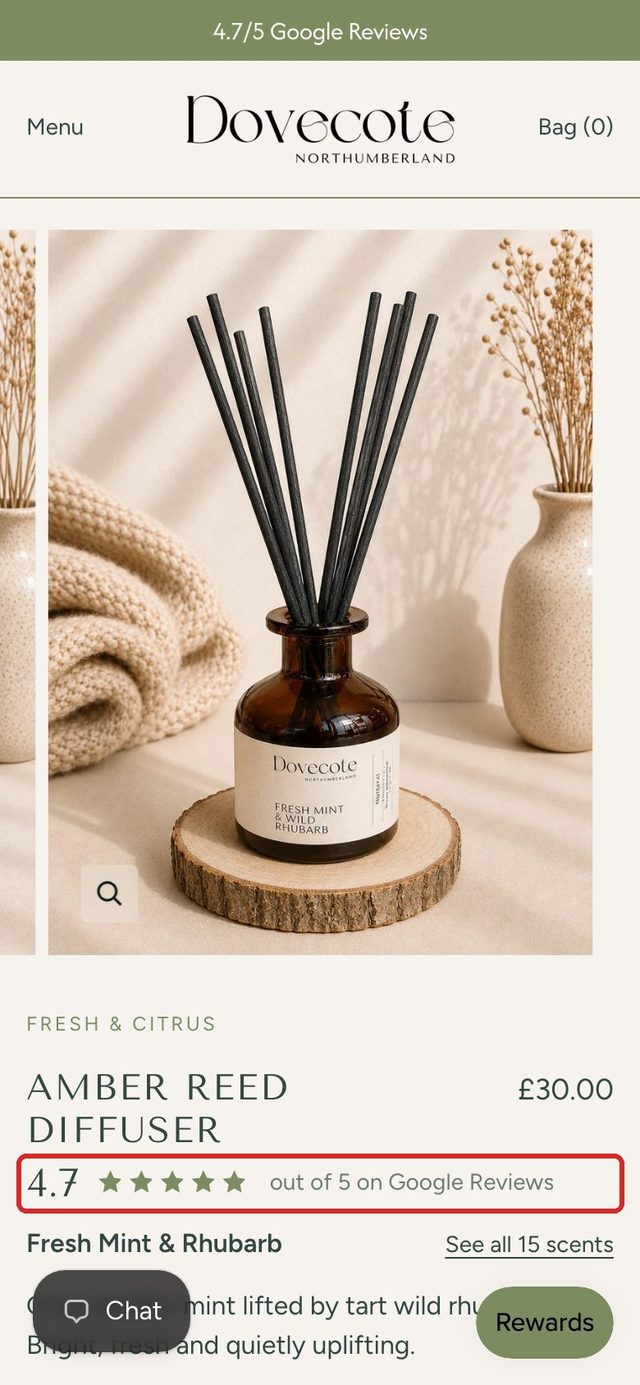
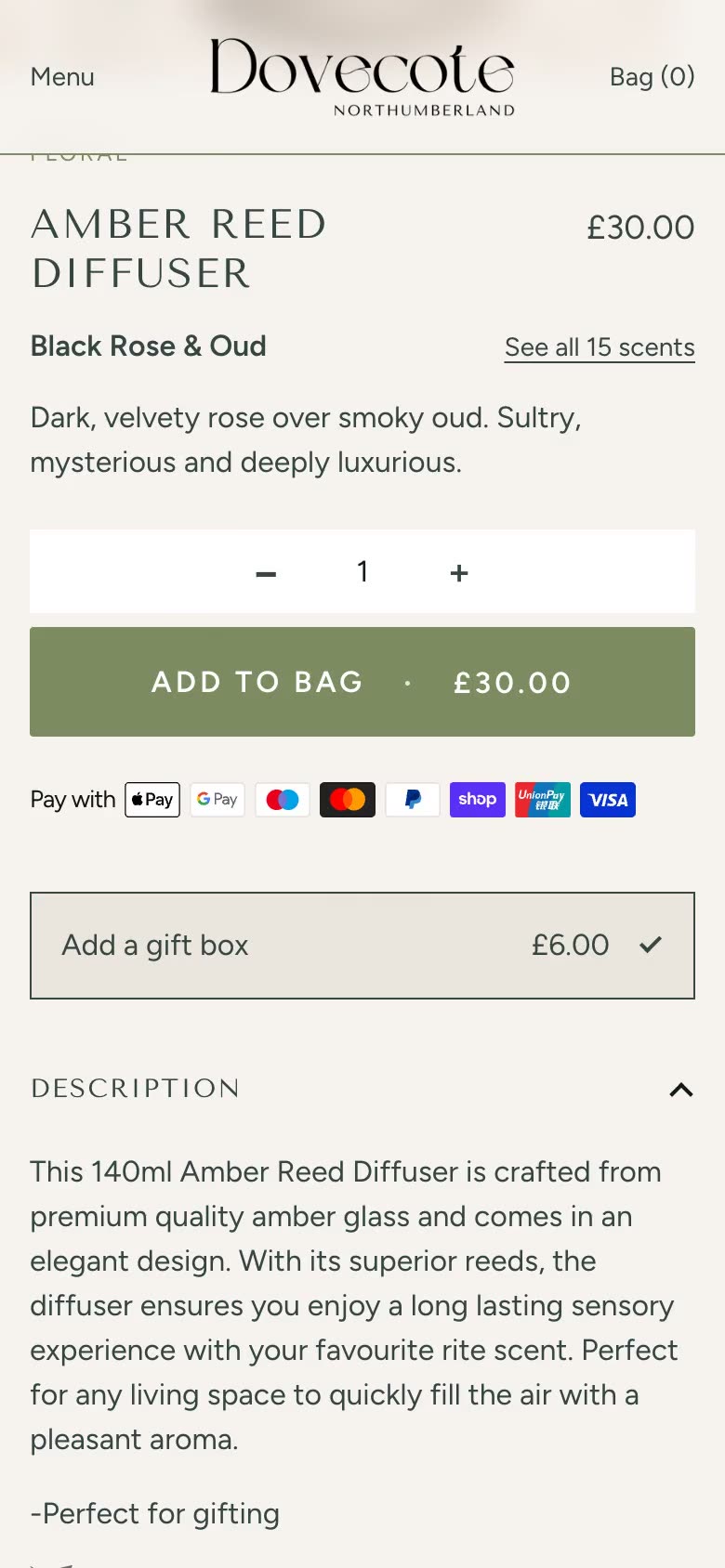
Show the 4.7 Google rating beside the product name
Now: The rating is only in the thin top bar, away from where shoppers decide.
Suggested: The same rating, in the store’s own look, under the product name and price.
A store we built: see the case studyHow it works
Three steps, one of them yours.
Send your store’s address
And where to send the report. No login, no access to your admin.
We look at it as a shopper does
On a phone and a desktop: your home page, a collection, a product and the basket, your delivery and returns policies, and two stores you compete with.
You get the report by email
Up to five changes, best first, each with a before and after on your own store. A person reads every report before it goes.
The report
What’s in it.
Before and after, on your store
Each change is drawn on your own page, in your fonts and colours, so you can see it rather than imagine it.
Five ideas at most, best first
What we found, where it came from, how sure we are, and the next step for each.
Where your pages disagree
A delivery or returns promise that says one thing on the product page and another in your policy.
A scorecard
The checks a shopper notices, passed or not, on a phone and a desktop.
Who’s checking: the studio that built East at Home, where revenue rose 82% (eight months after launch, against the year before, from its Google Analytics), and of two stores that won at the UK eCommerce Awards 2026, designed by Anthony Bliss and built by Cartmasters.
Prices
If you want a hand after.
The check costs nothing. If you’d like us to make the changes, this is what it costs.
- The checkFree
No call, no login, nothing to sign.
- A change from the reportFrom £65
£65 an hour, quoted as one fixed price per feature before we start. Small changes from £65.
Shopify development - Ongoing help£65 an hour
Billed monthly for the hours used, or a block of 20 hours for £1,300.
Support and growth
Questions
Before you send it.
- Is it really free?
- Yes. There’s no call to book and nothing to sign. If you’d like help making the changes, reply to the email. If not, the report is yours to keep.
- What do you need from me?
- Only your store’s address and an email to send the report to. We never ask for a login: the check uses the pages any shopper can see.
- Do you see my sales figures?
- No. It’s a first look from your public pages only, so it says what we saw and how sure we are, and leaves out anything that needs your numbers.
- Which stores can you check?
- Shopify stores only. If yours is on another platform, get in touch instead and tell us what you’re thinking of.
Free store check
Send us your store.
Your store and your email, and the report comes to your inbox.